 Leadline Inc.
DS-03: Laptop Hard Drive Encryption
Enforce hard drive encryption for laptop access to company network
Control Description
Laptops are configured to enforce hard drive encryption to access the Company's network.
Plain Meaning
This control requires that all laptops must have their hard drives encrypted before they can connect to the company network. This ensures that if a laptop is lost or stolen, the data remains protected from unauthorized access.
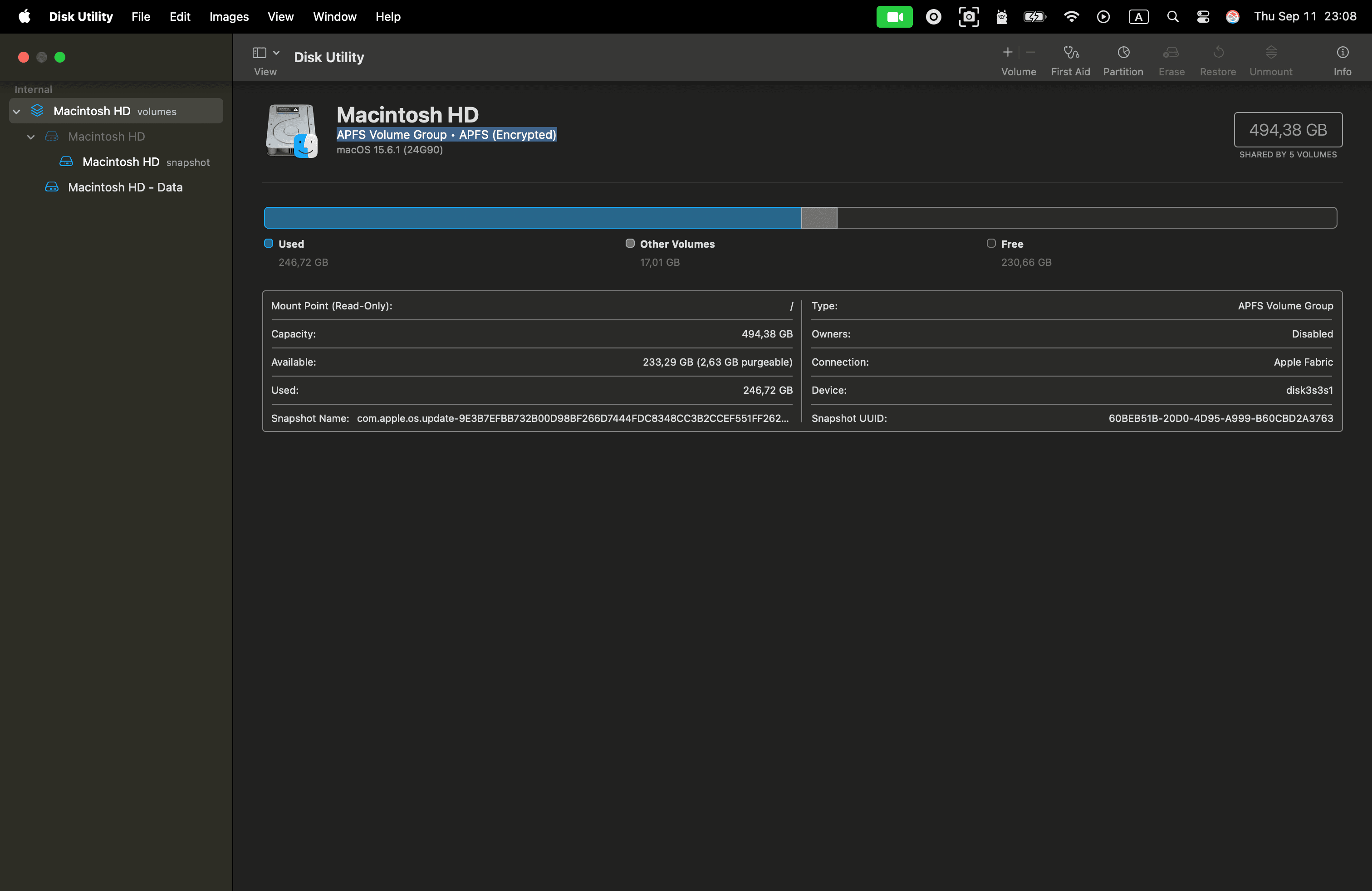
Using APFS Drive Encryption on MacBook to Meet SOC 2 DS-03
To comply with SOC 2 DS-03, which requires hard drive encryption for any laptop connecting to the company network, we leverage APFS drive encryption on our MacBooks.
How APFS Encryption Works
-
Startup Disk Encryption (FileVault):
- We enable FileVault, which uses APFS’s built-in encryption to secure the entire startup disk.
- FileVault ties disk decryption to the user’s login credentials, ensuring only authorized users can access data.
- Encryption keys are managed securely by the system, utilizing the Secure Enclave or T2 chip for additional hardware-level protection.
-
External Drive Encryption:
- When using external drives, we format them as “APFS (Encrypted)” via Disk Utility.
- A strong password is set for each drive, required every time the drive is mounted.
Why This Satisfies DS-03
- Data at Rest Protection: All data on both internal and external MacBook drives is encrypted, protecting against unauthorized access if a device is lost or stolen.
- Compliance: This setup directly addresses SOC 2 DS-03’s requirement for laptop hard drive encryption.
- Best Practices: Using APFS and FileVault aligns with industry standards and demonstrates a commitment to security.
Summary:
By enforcing APFS encryption and FileVault on all MacBooks, we ensure compliance with SOC 2 DS-03 and maintain robust security for company and customer data.
Related Controls
- DS-01: Removable media encryption
- DS-04: Mobile device management
- DS-05: Physical media disposal